Free
0 €
/month
- 1 user with write access
- +1 guest
- 20 AI uploads / month
- 50 total uploads / month
- 1 workspace
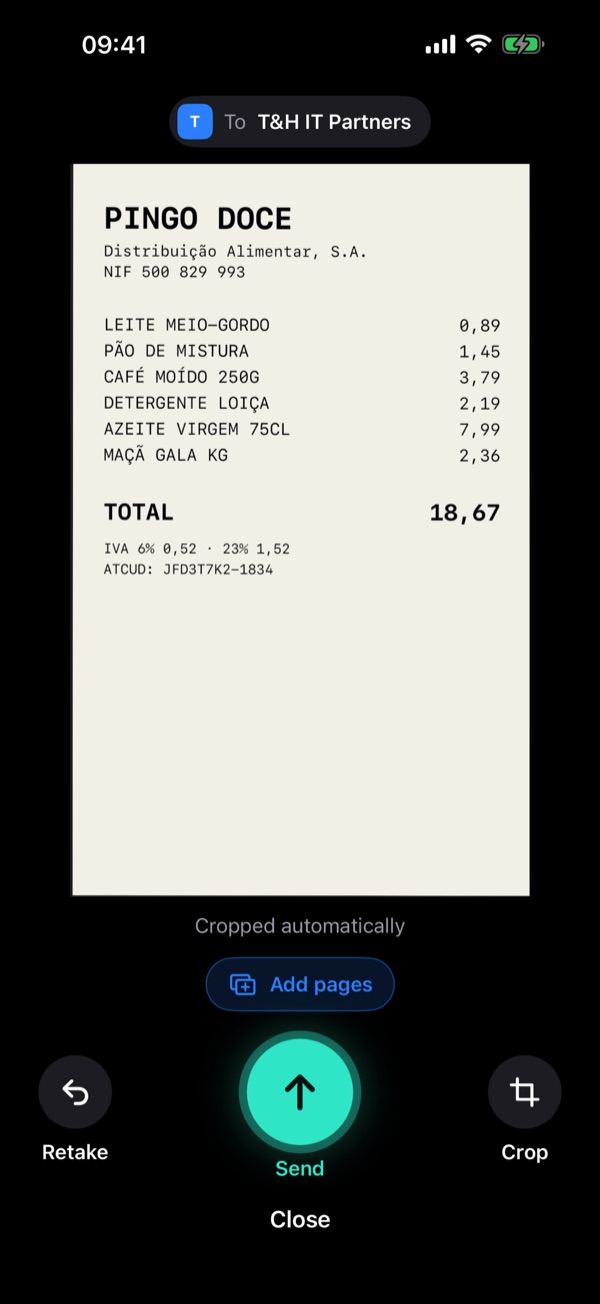
Point the camera at the receipt: Contabify detects it, takes the photo on its own and reads the company, tax ID, total and VAT. No iPhone? The web has everything, on any computer or phone.

 Scan with your
Your firm's workflow stays the same. Contabify steps in where manual typing is today.
One space per client or per firm, with admin, write and read permissions. Everyone sees only what concerns them.
Manage who has access and their permissions.
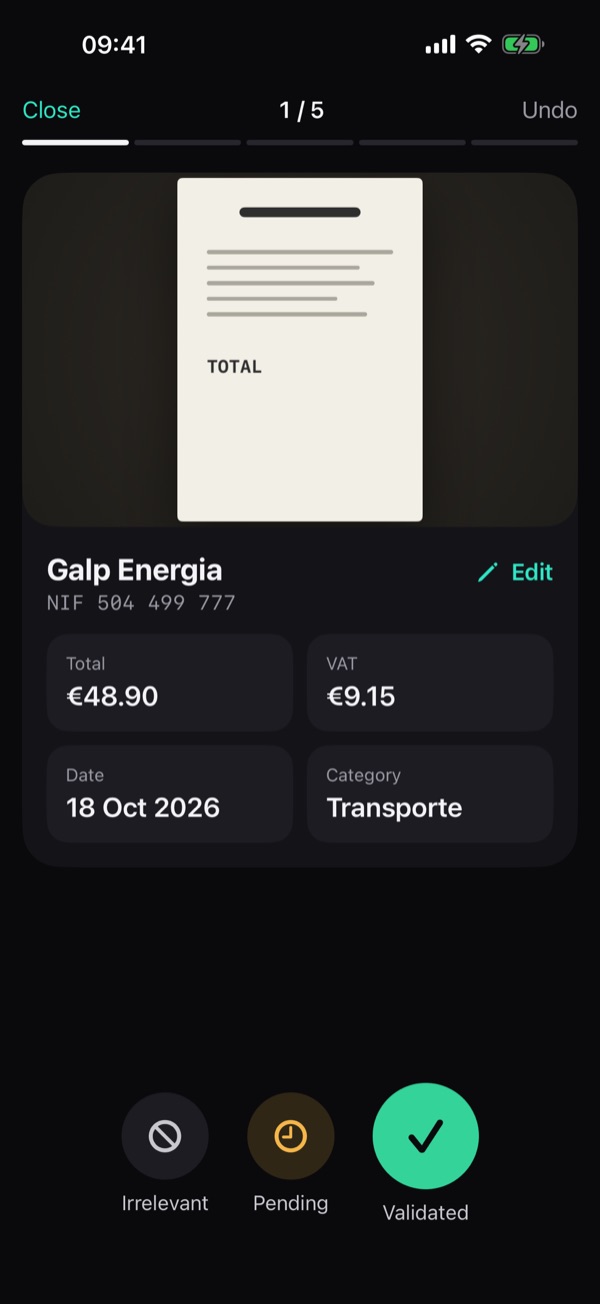
The camera detects the receipt, takes the photo and crops it. Company, tax ID, date, total and VAT are read in seconds. Then review: swipe to approve. On the web, drag in the PDF or image.
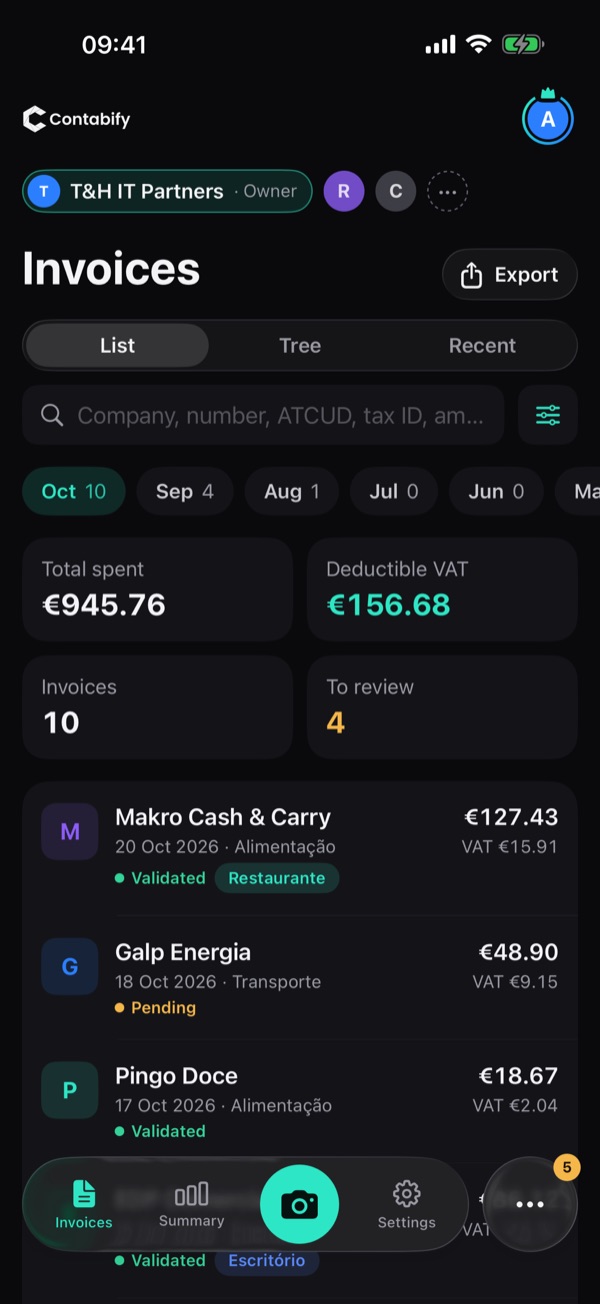
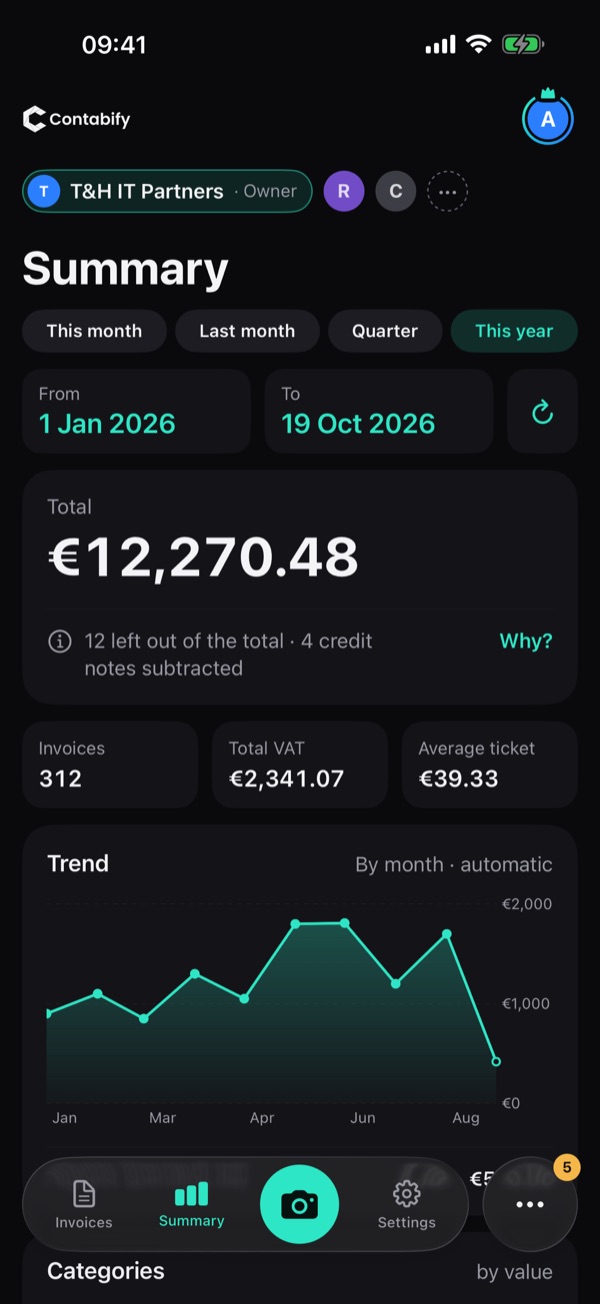
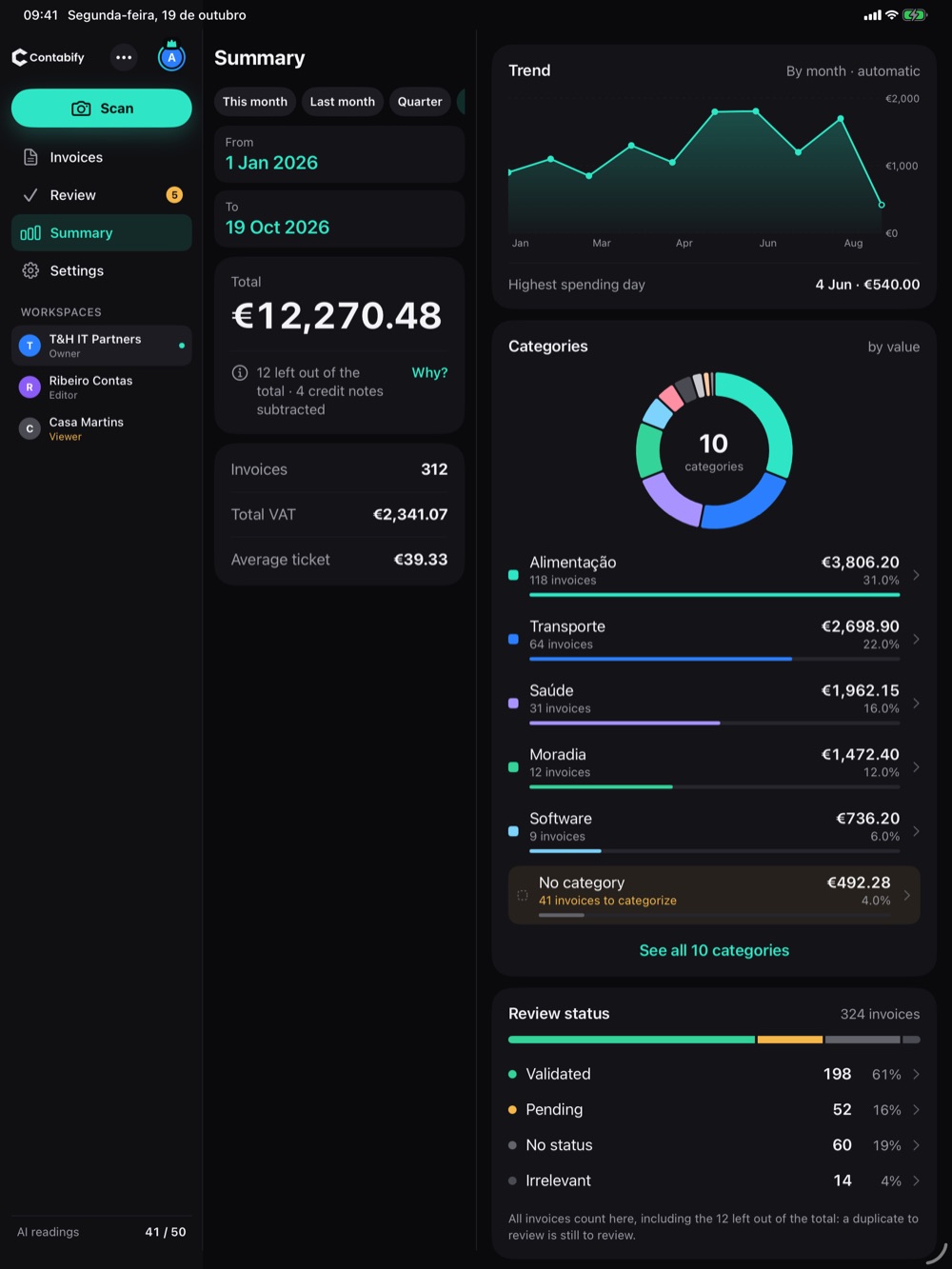
Totals, recoverable VAT and the breakdown by category update with every document. What used to be a spreadsheet becomes a dashboard.
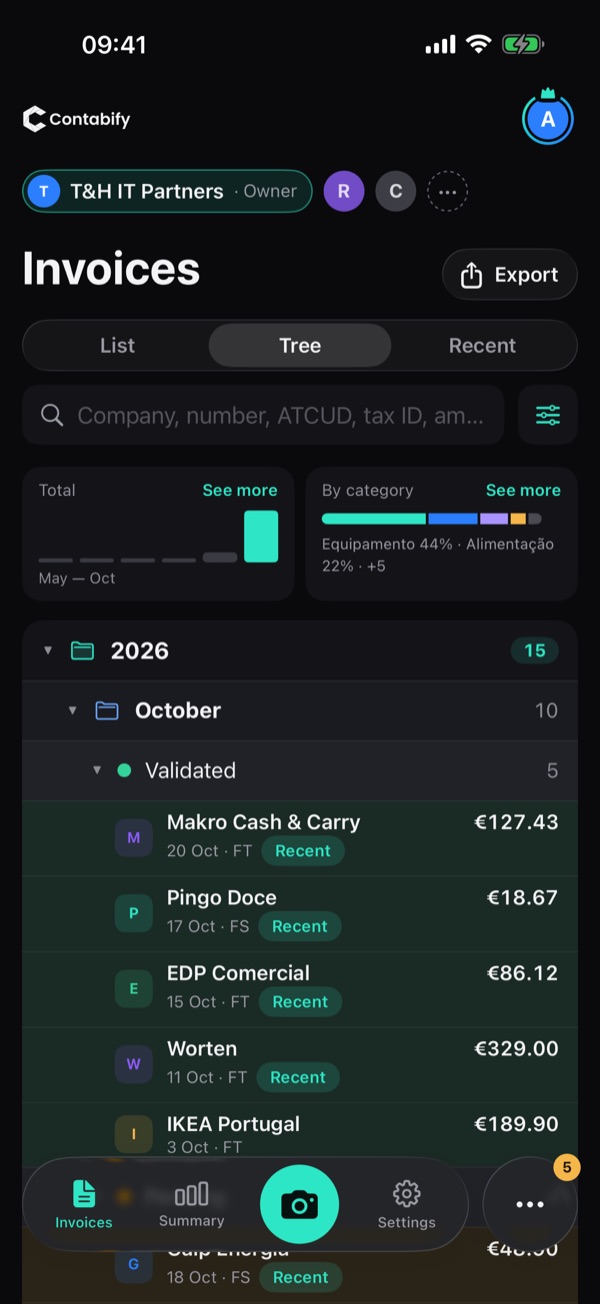
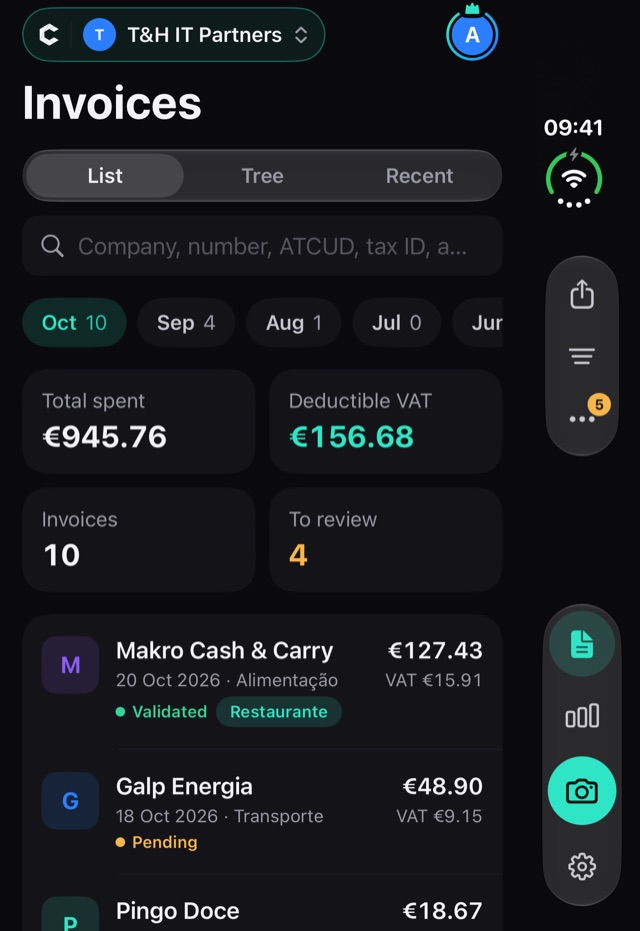
Tree view by year, month and processing status, advanced filters and structured export with VAT already separated. Your accountant gets everything ready.
What only a native app can do. Everything you capture lands in the same account you use on the web.
Point it at the receipt: the app detects the paper, takes the shot and crops it automatically.
Snap several receipts without stopping, or combine several pages into one document.
No connection? Receipts wait in a queue and upload when you're back online.
Got a PDF by email or in a chat? Share it straight to Contabify.
See your month on the Home Screen or ask Siri: “how much did I spend this month?”
One receipt at a time: swipe to approve and move to the next.
Sign in with Apple — no extra password.
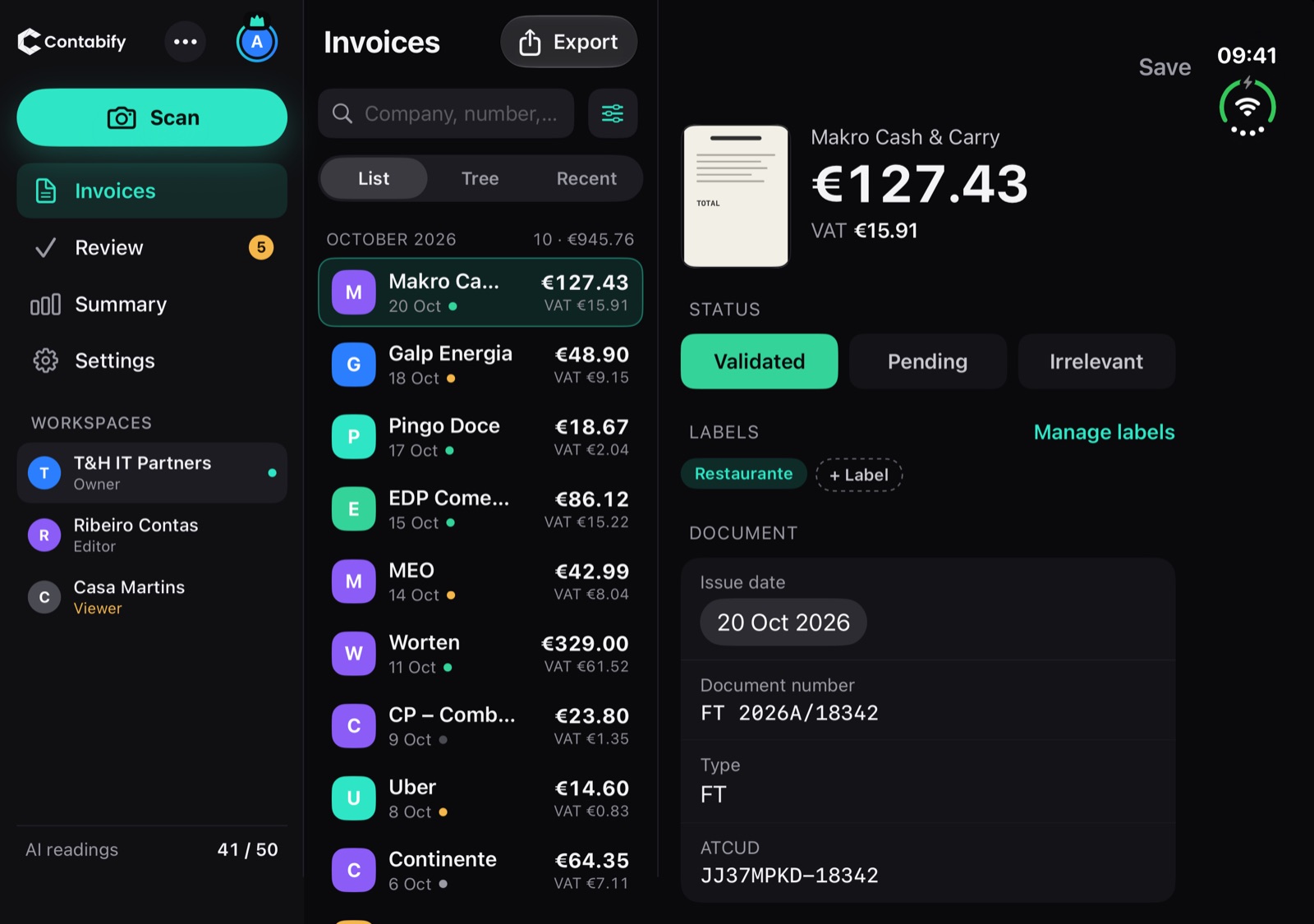
Closed, snap and review one-handed. Open, the list sits on the left and the detail on the right.
The same app, with room to spare: workspaces, summary and categories in three columns.
No iPhone? The web has everything: teams, permissions and exports. It runs in the browser on Android, Windows and Mac.
Use the same account in the app and on the web. What you snap on iPhone shows up on the web, and vice versa.
Open app.contabify.pt →No lock-in contracts. Change plans whenever you like.
In the iPhone app, subscriptions are handled by the App Store.
The AI analyses each receipt and identifies the supplier, tax ID, date, items, VAT rates and category. Just send the image or PDF — the data is extracted in seconds, line by line.
Yes. All documents are stored encrypted and processing follows the GDPR. On the Whitelabel plan, data can stay on a private network with no outside access.
Yes. The Free plan includes 20 AI uploads a month, 1 workspace and one guest — enough for freelancers and small businesses to try the whole flow.
JPG, PNG, PDF and scans. The OCR also reads handwritten receipts or ones photographed in poor light.
Create workspaces per client or department and invite members with admin, write or read permissions. Ideal for accounting firms.
No. The native app is only for iPhone and iPad. On Android, Contabify runs in your phone's browser at app.contabify.pt, with every feature.
Yes. It's the same account: sign in to the app with the same email and you'll find the same workspaces, receipts and data.
Point the camera at the receipt: the app takes the photo and reads the company, tax ID, total and VAT.
In your phone's browser, Contabify reads the company, tax ID, total and VAT. The web has everything: teams, permissions and exports.
One space per client or per firm, with admin, write and read permissions. Everyone sees only what concerns them.
The camera detects the receipt, takes the photo and crops it. Company, tax ID, date, total and VAT are read in seconds. Then review: swipe to approve. On the web, drag in the PDF or image.
Totals, recoverable VAT and the breakdown by category update with every document. What used to be a spreadsheet becomes a dashboard.
Tree view by year, month and processing status, advanced filters and structured export with VAT already separated. Your accountant gets everything ready.
What only a native app can do. Everything you capture lands in the same account you use on the web.
Sign in with Apple — no extra password.
Closed, snap and review one-handed. Open, the list sits on the left and the detail on the right.
The same app, with room to spare: workspaces, summary and categories in three columns.
No iPhone? The web has everything: teams, permissions and exports. It runs in the browser on Android, Windows and Mac.
Use the same account in the app and on the web. What you snap on iPhone shows up on the web, and vice versa.
Open app.contabify.pt →No lock-in contracts. Change plans whenever you like.
In the iPhone app, subscriptions are handled by the App Store.
The AI analyses each receipt and identifies the supplier, tax ID, date, items, VAT rates and category. Just send the image or PDF — the data is extracted in seconds, line by line.
Yes. All documents are stored encrypted and processing follows the GDPR. On the Whitelabel plan, data can stay on a private network with no outside access.
Yes. The Free plan includes 20 AI uploads a month, 1 workspace and one guest — enough for freelancers and small businesses to try the whole flow.
JPG, PNG, PDF and scans. The OCR also reads handwritten receipts or ones photographed in poor light.
Create workspaces per client or department and invite members with admin, write or read permissions. Ideal for accounting firms.
No. The native app is only for iPhone and iPad. On Android, Contabify runs in your phone's browser at app.contabify.pt, with every feature.
Yes. It's the same account: sign in to the app with the same email and you'll find the same workspaces, receipts and data.
The iPhone and iPad app is on the App Store. No iPhone? Use it on the web — on your computer or in your phone's browser.
Or use it on the web
On Android, use Contabify in your phone's browser — same account, everything included.
Create free account Use on the web · app.contabify.pt Got an iPhone? The app is on the App Store.